Competent planning is an integral part of our life, whether it is renovating an apartment, organizing a birthday party, or working together on a project with colleagues. To successfully accomplish any of these tasks, you always need to have a clear workflow structure. And task managers will help you with this.
What it is, how not to get lost in tasks, not to forget about the important and how to work with them, we will tell you in our new post 😉.
What is a task manager?
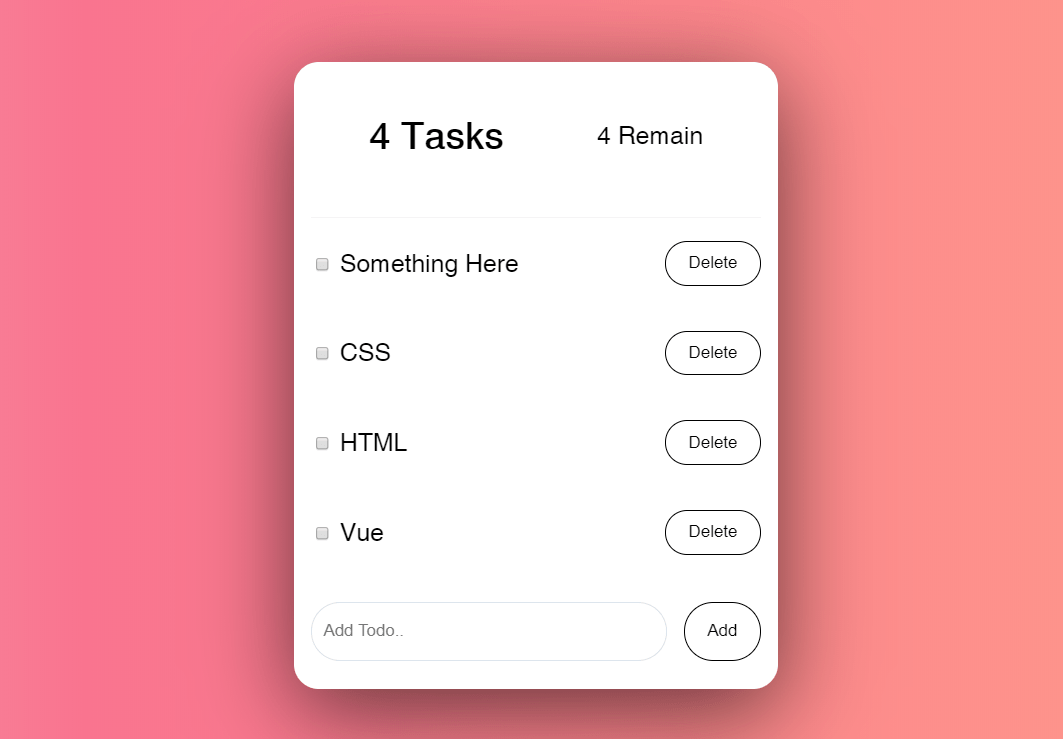
Task manager (aka task service and task tracker) is a program for project management. Its functionality allows the manager to distribute personalized and group tasks, divide them into stages, and monitor the implementation of all specified processes.
Kanban board is a kind of manager. This is a workspace for a large team, which contains a list of tasks, categorized by priority, stage of completion, tags, and other metrics.
You customize the appearance of the service or board yourself – it all depends on the goals and specifics of the team.
What are they needed for?
Chaos in tasks, missed deadlines, loss of documents are terrible words for any executive or manager. There is no magic pill for solving all these problems, but with the help of task services, you can minimize some of them and improve teamwork.
Using services, you can reduce the list of tasks that are simultaneously in work, and increase both the productivity of the team and the quality of work. Also, the boards allow you to quickly identify the weaknesses of the team and understand on what tasks it is “stuck”. And the best part is that you don’t need to walk between tables and offices – everything can be seen on your screen at any time.
Types and examples of boards
Tax services have long migrated to the digital world and are actively used not only by IT startups and corporations, but by ordinary users who want to correctly plan their time and organize their workflow. If you also want to try to receive a finished high-quality product on time, you can test a similar platform. We have prepared for you a selection of popular services, in which we will tell you about the benefits of each.
Kaiten
Platform: Web, iOS, Android.
Price: there is a free plan and a 14-day trial version. The price for the paid version is from 420 rubles a month for each user.
Kaiten is a tool for managing business and department tasks in one place. Kaiten can be installed in a private cloud or on the company’s own server for maximum data security.
Advantages – you will see several boards on one screen, which means that you have the opportunity to look at the whole situation – you do not need to switch between boards, you can collect all the boards that you need on your screen. It is also very easy to link cards together. It seems to be a common, basic function for managing tasks, but in fact you will be able to notice the dependence of some employees on other teams, work together, block the card and be flexible. This way you can visualize multilevel processes.
Using Kaiten, you can create any number of columns and rows on one board. You can also create multiple mini-boards on one for each team member. This horizontal alignment will help you better control team workload and plan work.
Another feature is the timeline – a tool for high-level planning. On it you can see if the dates of the child tasks fit into the total time of the project. There is no timeline in popular accounting systems, or it is available only at the most expensive tariffs.
Other advantages:
Special analytics that allows you to qualitatively evaluate work processes.
High security (private cloud, on premises)
Intuitive interface.
The tool easily adjusts to your process, and not vice versa.
Trello
Platform: Web, iOS, Android.
Price: Free version available, with paid plans starting at $ 9.99 / month / user billed annually.
One of the well-known digital analogs of a kanban board. Trello lets you create an infinite number of personal boards, cards, and lists. The application interface is simple and intuitive, registration and basic settings are mastered in literally an hour. Using this task manager, you can assign tasks, set deadlines and add descriptions to each task using special cards.
Collaboration with colleagues is also possible (in the free version on 10 boards). If their number of tasks grows, you will have to switch to the paid version of the program.
Trello benefits:
- There is a dashboard for KPIs (Key Indicators of Team Success).
- Convenient sorting of cards.
- Templates for quickly creating new projects and boards.
- Fast sync between PC, browser and mobile app.
- Integration with a large number of popular third-party services.
Todoist
Platform: Web, Windows, MacOS, Linux, iOS, Android.
Price: there is a free version for a team of up to 5 people, but you can purchase a paid plan from $ 36 per year for a team of up to 25 people.
Todoist is one of the most famous scheduling and task management software around. The task manager helps to prioritize and easily create tasks, subtasks and sections.
In the program, you can leave comments, track progress and prioritize, and integrations with popular applications significantly expand the functionality of the task manager.
The main feature is a playful way of working, which motivates users to stay productive, earning various rewards, points and moving to new levels.
Other benefits of Todoist:
- Simple and intuitive interface.
- The ability to share files with the team.
- Interesting, customized templates.
- Integrations with Slack, Dropbox, Google Drive and so on.
Nowdays task manager, SSL Certificates are essential for a website development company, many hosting company provides free SSL, Here is a list: Best web hosting List 2022 Reddit.
Nifty
Platform: Web, MacOS, Windows, Android, iOS.
Price: from $ 39 per month for teams of up to 10 people billed annually.
Nifty is a collaborative task management tool that helps prioritize and automate workflows using information displays such as list, kanban board, and flowchart.
With the intuitive interface of this task manager, you will learn to add tasks, assign performers and track progress in a few minutes. Task manager lets you create your own task lists or import existing tasks to pick up where you left off.
By automating workflows, you can keep all information and files in one place, and stop switching browser tabs.
Advantages:
- Monitoring progress.
- File exchange.
- Time tracking.
- Mobile app.
- Resource management.
- Integration with other applications.
- Different types of display.
Asana
Platform: macOS, Windows, Android, iOS.
Price: you can use the free version or upgrade to a paid plan – from $ 13.49 per user per month.
Asana has a variety of task management features found in standard to-do apps and calendars rather than regular kanban boards. For example, users can create an unlimited number of cards and filter them using special tags. You can also sort cards according to different principles, for example, by closeness of deadline or priority.
Other pluses:
- Integration of external work tools and popular messengers.
- Built-in employment tracker that shows how long it takes to achieve your goals.
- Displaying progress on a graph.
- Convenient notification system both inside the software and via e-mail.
A task manager is a service necessary for teams working remotely and for those who want to control the workflow and timely completion of tasks.
What personal or corporate task manager do you use? Let us know in the comments.