What is Vuex?
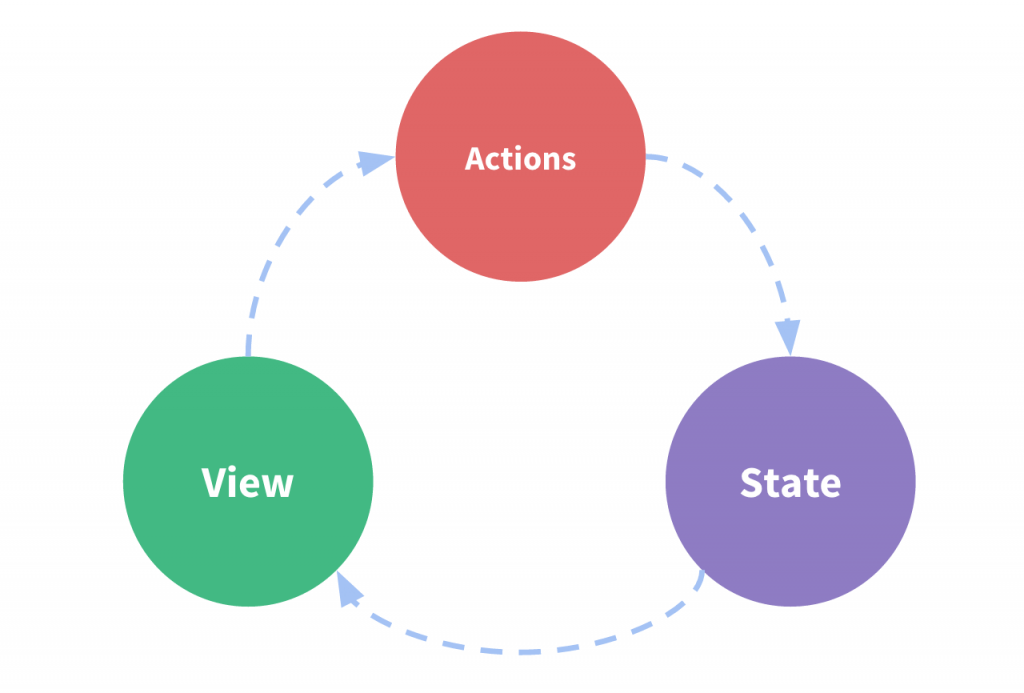
Vuex is state management library for Vue.js. Basically, you have one central area (store) in your app that controls the global state.
Vuex is a state management pattern + library for Vue.js applications. It serves as a centralized store for all the components in an application, with rules ensuring that the state can only be mutated in a predictable fashion. – Vuex Docs
What is The View?
The View is a daytime talk show with various co-hosts. The View has seen its fair share of hosts come and go and we’ll be hearing their hot-takes on Vuex throughout this article.
Nicolle Wallace explains to the table, ‘If you are familiar with React and Redux you might find this analogy helpful – Vuex is to Vue applications as Redux is to React applications.’ She also explains that she used to co-host The View.
Why use Vuex?
Vuex is perfect tool to use when you have lots of components that all depend on the same information – instead of passing props around from parent to child and back again, the components can rely on getting the information they need from the Vuex store. Vuex makes it easy to access global state and update it – with predictable results.
Lisa Ling gives voice to your inner question, ‘But what if my app is pretty small? Only a couple components and very little state to manage? Is it really worth it to go through the trouble of setting up state management with Vuex?’ She also gives voice to your other inner question, ‘Did Lisa Ling used to be a co-host on The View?’. The answer is yes.
Rosie Perez replies, ‘Great point, Lisa. If you have a small application it probably isn’t worth setting up Vuex to manage global state. However, if you’re like me and have ever been 15+ components in with state flying around every which way you’ll see what a big difference to your sanity Vuex can make! You are also like me if you used to co-host The View! I’d say if you are building a medium or large sized app you should plan on using Vuex. That being said, if you are looking to practice you can set up Vuex in a smaller app to get a feel for how it works.’.
Setting up Vuex on your Vue project
Rosie O’Donnell addresses you in the audience to break down the steps, ‘Okay now I know you are all wondering how to get Vuex working with your application. First things first…’
- Navigate to your Vue.js project directory (
cd your-project-name) and runnpm install vuex --saveto install Vuex for your project
Side note: Your project directory should include the following: index.html file containing an element with id=”app”, src folder that contains the App.vue and main.js files, the main.js file imports your App.vue file and sets up the Vue instance for your app. - Create a new store folder within your project’s src folder (
mkdir store) and change directory to the new folder (cd store) - Create a file to set up your store (
touch store.js) in your store folder - Create your Vuex Store
// This is in the store.js file
import Vue from 'vue';
import Vuex from 'vuex';

Vue.use(Vuex); // enable Vuex functionality in our application

export const store = new Vuex.Store({ // create Vuex Store
  state: {
    exViewHosts: ['Nicolle Wallace','Lisa Ling','Rosie Perez'],
    // include properties for your global state here
  }
})
- Import your Vuex Store in main.js to use in your application
// main.js file
import Vue from 'vue';
import App from 'App.vue';
import { store } from './store/store';

new Vue({   // create Vuex Store
  el: '#app',
  store,  // es6 syntax --> equivalent to store: store
  render: h => h(App)
})
- Access the store from your components
// This is from my App.vue file, you can access the store from any component though
<template>
  <div>
    <ul>
      <li :key="exHost" v-for="exHost in exHosts">{{ exHost }}</li>
    </ul>
  </div>
</template>

<script>
  export default {
     computed: {
        exHosts() {
          return this.$store.state.exViewHosts;
          // access the Vuex store with $store
        }
     }
  }
</script>
Star Jones has an important point for the audience, ‘Now before everyone gets too carried away, there is actually a lot more to the Vuex store than what Rosie has laid out. Getters, Mutations, and Actions are a big part of managing global state with Vuex and we’ll be discussing next week as part of our Hot Topics.’
In conclusion…
This has been a quick introduction to Vuex and I hope you’ve been inspired to try out Vuex to manage state in your next Vue.js application! For a more detailed look into all that Vuex has to offer, I recommend checking out the official Vuex Docs.